Touch screens are part of everyday life—smartphones, tablets, laptops, car displays, and industrial control panels all rely on clean, responsive surfaces. But cleaning them the wrong way can leave streaks, damage coatings, or even reduce touch sensitivity. Choosing the right cleaner is essential if you want clear visuals and long-term screen protection.
Why Regular Cleaners Can Be a Problem
Many people reach for household glass cleaners or alcohol wipes, assuming they will do the job. In reality, these products often contain harsh chemicals like ammonia or high-concentration solvents. Over time, they can wear down oleophobic coatings, cause discoloration, or leave residue that attracts more fingerprints.
Paper towels and rough cloths can also create micro-scratches that slowly reduce screen clarity. Even if the damage isn’t visible right away, it adds up with repeated cleaning.
What Makes a Cleaner Safe for Touch Screens?
The best touch screen cleaner should be specifically formulated for delicate display surfaces. Look for these key features:
-
Alcohol-free or low-residue formula to protect screen coatings
-
Anti-static properties to reduce dust attraction
-
Streak-free cleaning for clear visibility
-
Used with a microfiber cloth, which lifts dirt without scratching
These characteristics help maintain both the appearance and functionality of the screen.
Spray vs. Wipes: Which Is Better?
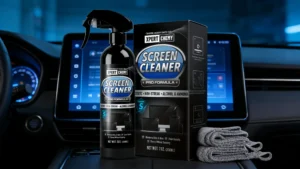
Pre-moistened wipes are convenient, but they can dry out quickly and may leave uneven residue. Spray-based cleaners, when lightly applied to a microfiber cloth (never directly onto the screen), offer more control and are often more economical for regular use.
For users who clean multiple devices—such as offices, repair shops, or vehicle displays—a dedicated kit is usually the most practical choice.
A Practical Option for Everyday Screen Care
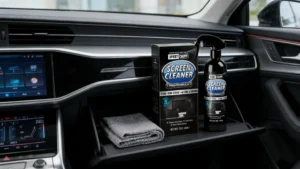
For routine cleaning, many users prefer purpose-built solutions like the XPERTCHEMY® Touch Screen Cleaner Kit, which is designed to safely remove fingerprints, smudges, and light oils without damaging sensitive touch surfaces.
Best Practices for Cleaning Touch Screens
To get the best results and avoid damage:
-
Power off the device before cleaning
-
Lightly mist the cleaner onto a microfiber cloth
-
Wipe gently in one direction
-
Allow the screen to air-dry for a few seconds
Avoid excessive pressure, and never spray liquid directly onto the screen.
Final Thoughts
The best cleaner for touch screens isn’t the strongest one—it’s the safest and most consistent. A screen-specific cleaning solution, paired with proper technique, keeps displays looking sharp while preserving their protective coatings. With regular care, touch screens stay clearer, last longer, and respond better to every tap and swipe.